


You did the sensible thing and gave Redis a memory limit, so it can't eat all the RAM on your VPS. Then, once the cache fills up, writes start failing:
(error) OOM command not allowed when used memory > 'maxmemory'.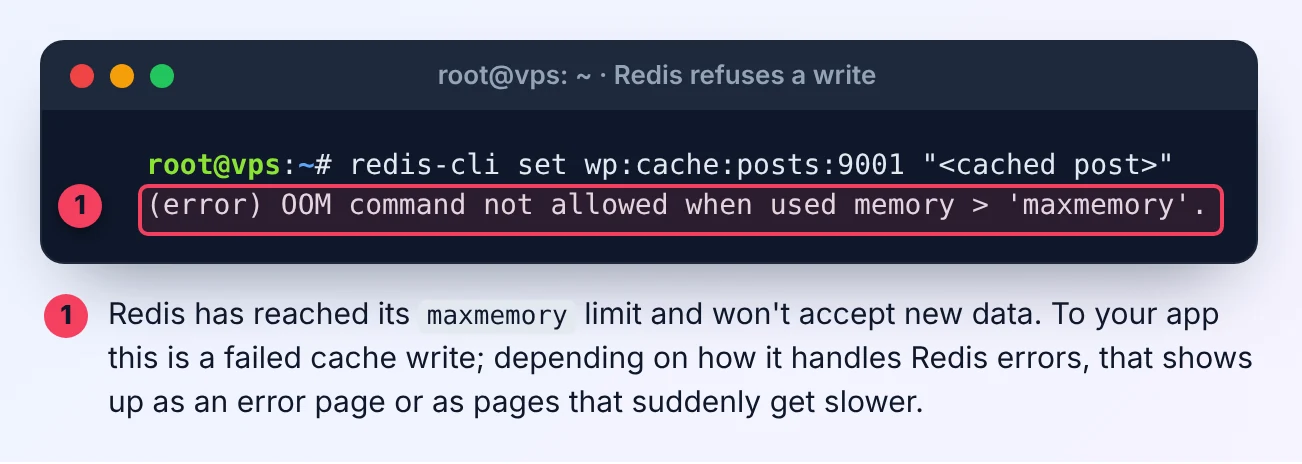
This isn't the Linux out-of-memory killer, and the server isn't out of RAM. Redis has reached the maxmemory you set, and its eviction policy tells it to refuse new data rather than make room. The fix is usually one setting, but there's a trap in the setting most answers recommend. I reproduced all of this on Ubuntu 24.04 with Redis 7.0.15, and the screenshots are from that test server.
Step 1: check memory and the eviction policy
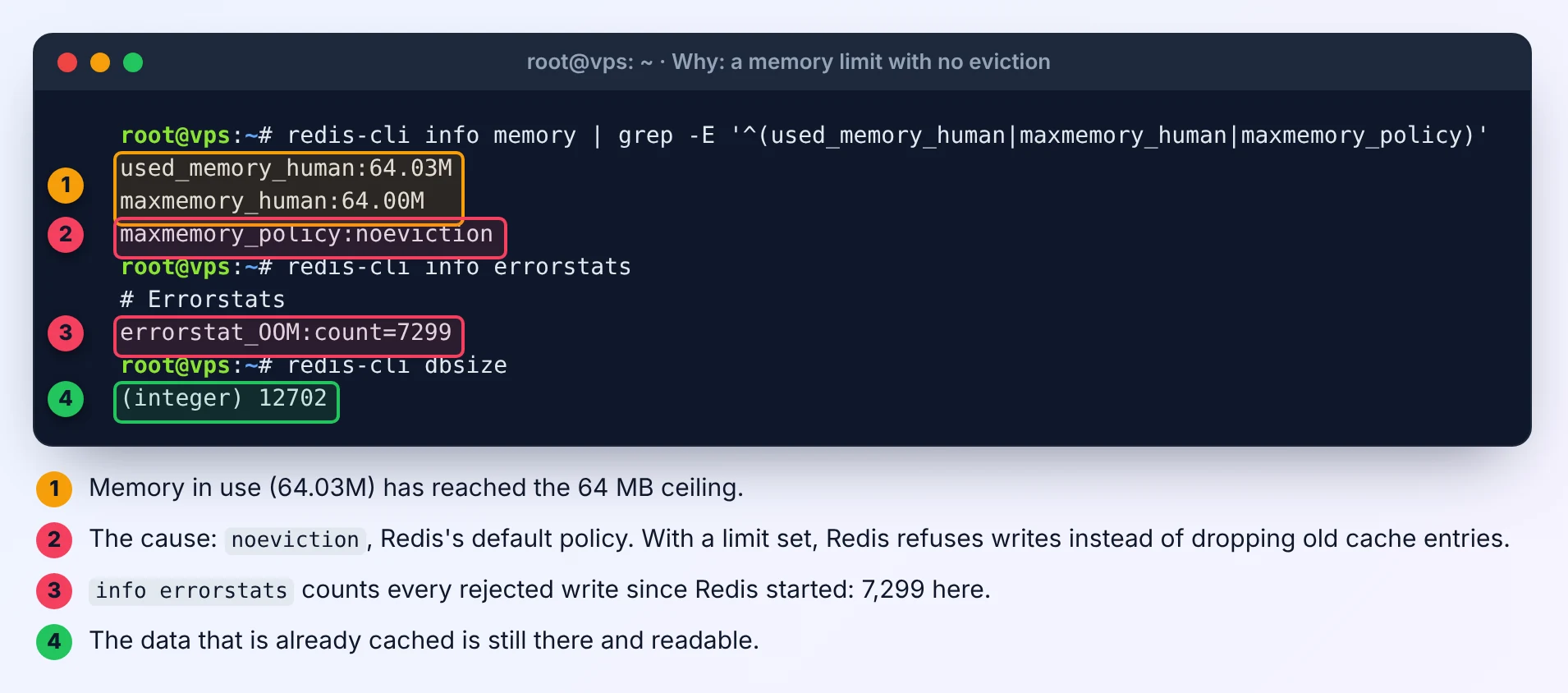
redis-cli info memory | grep -E '^(used_memory_human|maxmemory_human|maxmemory_policy)'If used_memory_human is at or just above maxmemory_human and the policy is noeviction, you've found it. noeviction is Redis's default: with a limit set, a full Redis refuses writes instead of dropping old keys.
To see how often it has happened since Redis started:
redis-cli info errorstatsEach rejected write adds to errorstat_OOM:count.
The trap: volatile-lru only evicts keys that expire
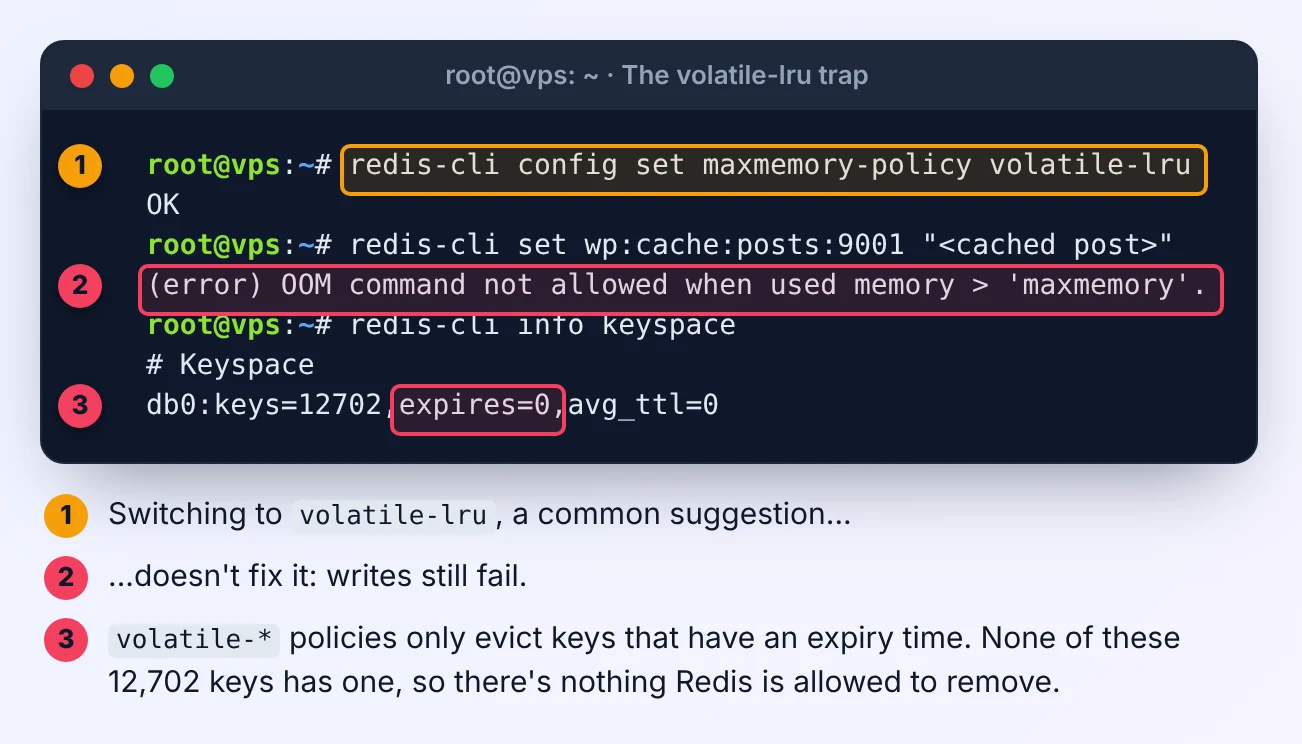
The most common suggestion is to switch to volatile-lru. On many WordPress and Laravel caches that changes nothing: writes keep failing. Check why:
redis-cli info keyspaceexpires=0 means none of your keys has an expiry time. The volatile-* policies (volatile-lru, volatile-lfu, volatile-ttl, volatile-random) may only evict keys that have one. With no such keys, Redis has nothing it's allowed to remove and behaves exactly like noeviction.
That's common in practice. WordPress object cache plugins store many entries with no expiry, and Laravel's Cache::forever() does too.
The fix: allkeys-lru for a cache
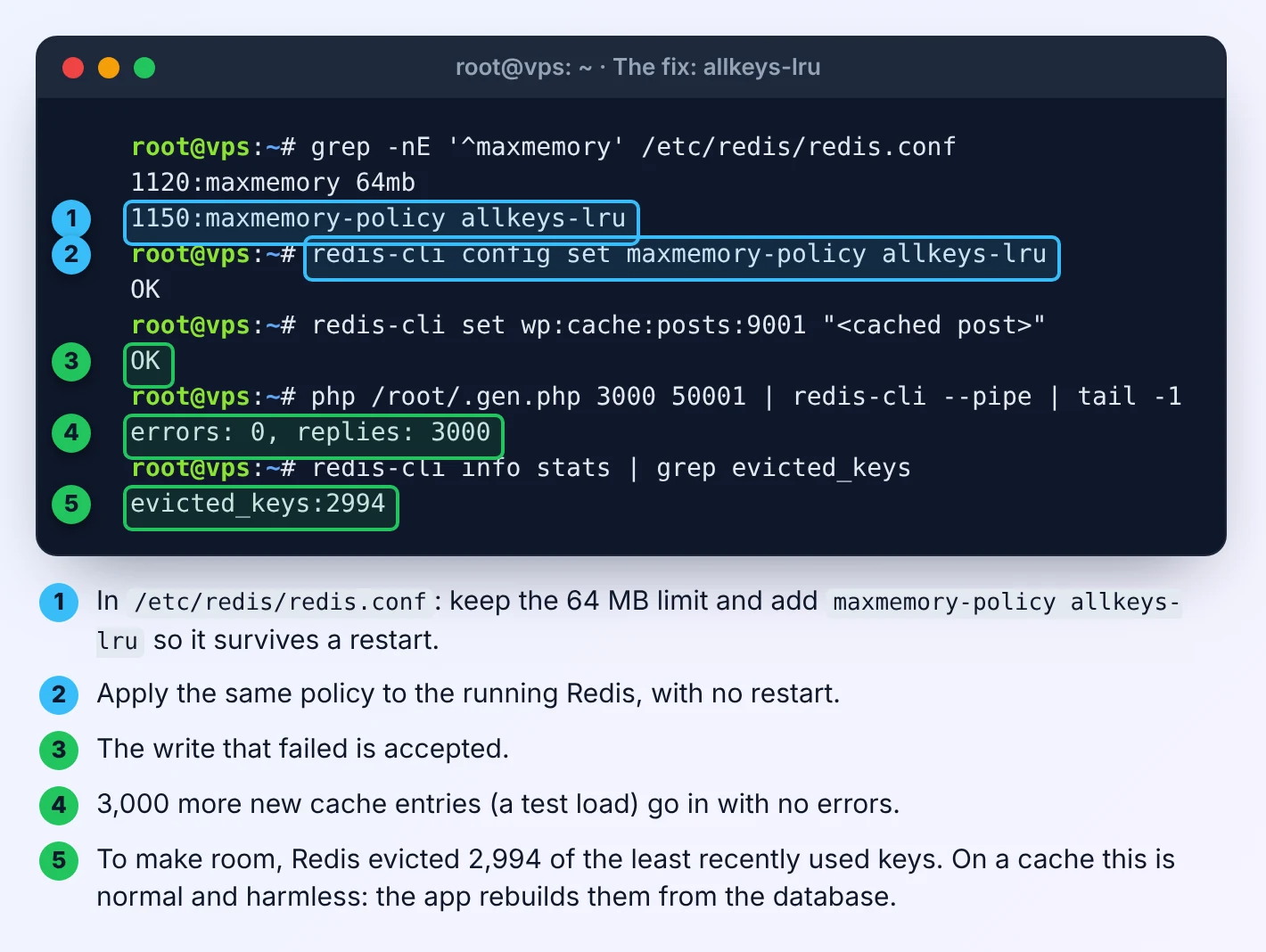
If Redis is used as a cache, let it evict any key, least recently used first. Apply it immediately:
redis-cli config set maxmemory-policy allkeys-lruThen make it permanent in /etc/redis/redis.conf, next to your limit:
maxmemory 128mb
maxmemory-policy allkeys-lru
Writes are accepted again straight away, and from then on Redis quietly drops the least recently used keys whenever it needs room. You'll see them counted in redis-cli info stats | grep evicted_keys. For a cache that's harmless: your app reads the data from the database again and puts it back.
allkeys-lfu (least frequently used) works too, and can keep popular keys better on caches with a few very hot entries. If you're not sure, allkeys-lru is the safe default.
Before you switch: does Redis hold more than cache?
Eviction applies to the whole Redis instance, across all its numbered databases. Laravel often keeps its queue, sessions and cache in the same Redis, just in different databases. With allkeys-lru, a busy cache can evict queued jobs or log users out.
- Cache only (a typical WordPress object cache): use
allkeys-lru. - Cache plus queues or sessions: run a second Redis instance for the cache with
allkeys-lru, and keepnoevictionwith enough memory on the one holding jobs and sessions. Or move queues and sessions to the database. - Not a cache at all: keep
noevictionand raisemaxmemory, because Redis must not drop that data.
Is the limit just too small?
After switching policy, watch the numbers for a day:
redis-cli info stats | grep -E 'evicted_keys|keyspace_hits|keyspace_misses'A few evictions with a high hit rate is a healthy cache. Evictions climbing fast while hits stay low means the ceiling is too small for your data: raise maxmemory one step, keeping it within your VPS's memory budget. Our guide to Redis object cache without running out of memory has a table of sensible limits for 1, 2 and 4 GB servers.
Don't fix this error by removing the limit (maxmemory 0). That turns a cache problem into a whole-server problem: Redis grows until the kernel's OOM killer starts killing processes, often MySQL first. See VPS running out of memory for what that looks like.
Related Redis error
If Redis refuses writes with MISCONF Redis is configured to save RDB snapshots instead, the problem is saving to disk, not memory. See fixing Redis MISCONF.
Reproduced on Ubuntu 24.04 with Redis 7.0.15 in November 2026.



Comments 0
Be the first to comment.
Leave a comment